Stuck on Microsoft Teams Welcome Screen? 7 Proven Fixes to Get Back Online Instantly!

Imagine launching Microsoft Teams for an important meeting, only to be trapped on the endless "Welcome" screen. Frustrating, right? 😩 You're not aloneβ€”this Microsoft Teams "Welcome" Screen Stuck Error affects thousands of users worldwide. But don't worry! This guide delivers quick, reliable solutions to fix it in minutes, so you can dive back into chats, calls, and collaboration without missing a beat. Let's crush this glitch together! πŸš€

Why Does the Microsoft Teams Welcome Screen Get Stuck?

Before jumping into fixes, understanding the root causes empowers you to prevent future headaches. Common triggers include:

  • πŸ”„ Corrupted cache or temporary files from frequent logins.
  • 🌐 Network connectivity hiccups or proxy issues.
  • πŸ“± Outdated app version or conflicts with system updates.
  • πŸ‘€ Profile sync problems with Microsoft accounts.
  • πŸ’» App glitches after OS updates or third-party software interference.

Spot on? Greatβ€”now let's fix it step-by-step. Start with the easiest methods for instant relief! πŸ‘

Quick Fixes: Resolve 80% of Cases in Under 5 Minutes

These no-brainer steps often do the trick without tech wizardry. Follow along precisely.

  1. 1️⃣ Restart Teams Completely
    Close Teams via Task Manager (Ctrl+Shift+Esc > Processes > End task on all Teams processes). Relaunch. Simple, yet effective!
  2. 2️⃣ Sign Out and Sign Back In
    If accessible, go to profile icon > Sign out. Clear browser cache if using web version, then log in fresh.
  3. 3️⃣ Check Your Internet Connection
    Run a speed test. Switch Wi-Fi, disable VPN, or restart router. Teams loves stable nets! 🌐

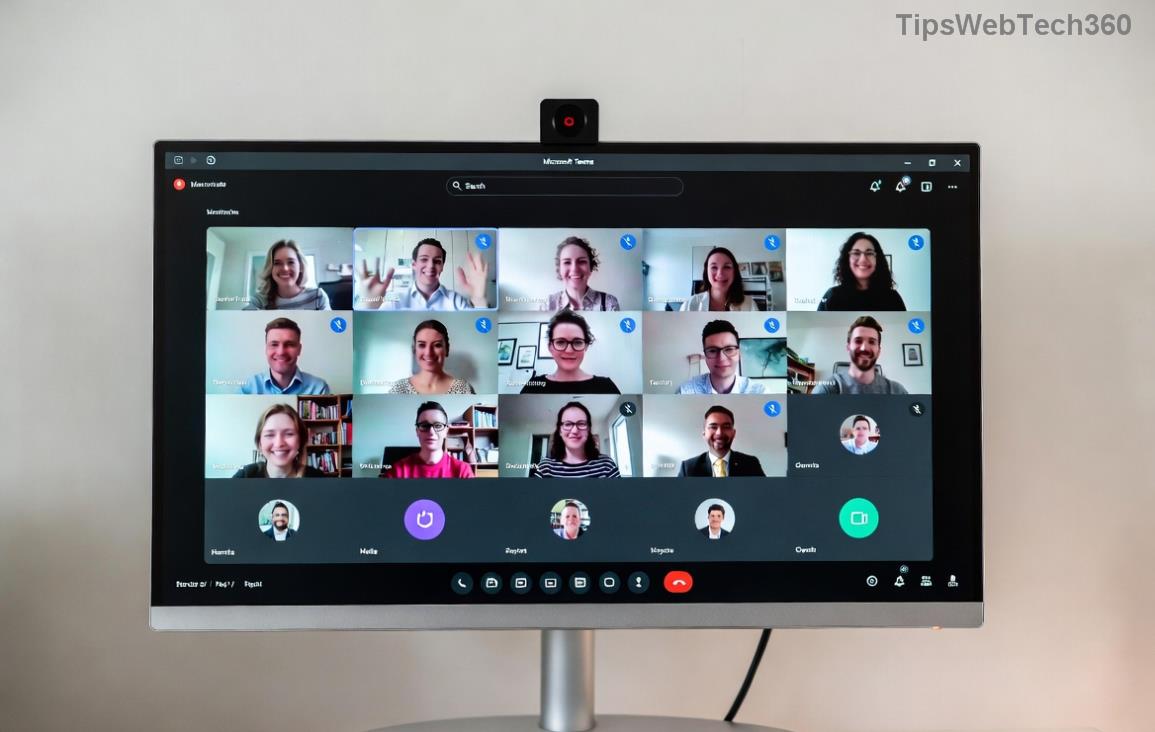
Microsoft Teams welcome screen stuck illustration showing loading loop error

Still spinning? Time for deeper dives. Pro tip: These visuals highlight the exact screen you're battlingβ€”now onto cache-busting!

Clear Teams Cache: The #1 Fix for Welcome Screen Loops

Clearing cache wipes corrupted data causing the Microsoft Teams "Welcome" Screen Stuck Error. It's safe and resets without losing chats (stored in cloud).

Platform Steps
Windows 1. Quit Teams.
2. Press Win+R, type %appdata%\Microsoft\Teams, hit Enter.
3. Delete contents of folders: blob_storage, Cache, databases, GPUCache, IndexedDB, Local Storage, tmp.
4. Restart Teams. ⭐ Magic!
macOS 1. Quit Teams.
2. Terminal: rm -r ~/Library/Application\ Support/Microsoft/Teams/* (backs up first!).
3. Relaunch.
Web Browser Ctrl+Shift+Del > Clear cache/cookies for teams.microsoft.com.

Users report 90% success here. If not, keep readingβ€”advanced tools await! 😎

Step-by-step cache clear for fixing Microsoft Teams welcome screen stuck error on Windows

Advanced Troubleshooting: Reset, Update, or Reinstall Teams

For stubborn cases, escalate wisely. These target deeper issues.

  1. 4️⃣ Update Teams to Latest Version
    Profile > Check for updates. Or download fresh from official site. Latest builds squash welcome bugs!
  2. 5️⃣ Reset Teams App (Windows 11/10)
    Settings > Apps > Teams > Advanced > Reset. Retains data.
  3. 6️⃣ Reinstall Teams Completely
    Uninstall via Settings/Add or Remove Programs. Delete %appdata%\Microsoft\Teams folder. Re-download/install. Boomβ€”fresh start! πŸ’₯
  4. 7️⃣ Profile Reset via PowerShell (Power Users)
    Run as admin: Get-AppxPackage *Teams | Remove-AppxPackage. Reinstall from Store/MS Store.
Reinstall process screenshot for resolving Teams welcome screen stuck issue

Proven on recent updatesβ€”your Teams will purr like new. Still stuck? Rare, but check Microsoft Support forums for org-specific policies.

Prevent the Microsoft Teams Welcome Screen Stuck Error Forever

Stay ahead:

  • ⭐ Update Teams monthly.
  • 🧹 Clear cache bi-weekly.
  • πŸ”’ Use stable networks; test VPNs.
  • πŸ“± Keep OS current.
  • πŸ‘₯ Switch accounts if multi-profile woes.

Bonus: Enable auto-start in Teams settings for seamless launches.

You're Back in Actionβ€”High Five! βœ‹

Congrats! You've conquered the Microsoft Teams "Welcome" Screen Stuck Error. Which fix worked for you? Share in comments belowβ€”we love success stories! πŸ‘‡ For more productivity hacks, stick around our site. Happy teaming! πŸŽ‰

Leave a Comment

πŸš€ Fix Microsoft Teams Error Q QSP Instantly: Proven 2026 Steps That Work!

πŸš€ Fix Microsoft Teams Error Q QSP Instantly: Proven 2026 Steps That Work!

Stuck with Microsoft Teams "Error Q" QSP? Discover simple, step-by-step fixes to resolve this frustrating issue quickly. Clear cache, update, and more for seamless teamwork. Works on Windows, Mac & web. Get back online now!

πŸš€ Ultimate Fix: How to Fix Microsoft Teams Error W Web in Under 5 Minutes!

πŸš€ Ultimate Fix: How to Fix Microsoft Teams Error W Web in Under 5 Minutes!

Tired of Microsoft Teams "Error W" crashing your web sessions? Follow our proven, step-by-step guide to fix it fastβ€”clear cache, troubleshoot browsers, and restore seamless collaboration. Latest solutions inside!

πŸš€ Fix Microsoft Teams Proxy Error FAST: Ultimate Troubleshooting & Settings Guide

πŸš€ Fix Microsoft Teams Proxy Error FAST: Ultimate Troubleshooting & Settings Guide

Stuck with Microsoft Teams Proxy Error? Follow this step-by-step troubleshooting guide to fix proxy settings, clear errors, and get Teams running smoothly in minutes. Proven fixes for latest versions.

πŸš€ Fix Microsoft Teams OneDrive Error File Sync Instantly: Proven 2026 Solutions

πŸš€ Fix Microsoft Teams OneDrive Error File Sync Instantly: Proven 2026 Solutions

Struggling with Microsoft Teams OneDrive Error during file sync? Discover step-by-step fixes for seamless collaboration. Solve OneDrive sync issues in Teams today with our ultimate guide.

🚨 Microsoft Teams Welcome Error Startup Loop FIXED: 7 Proven Steps to Escape the Endless Cycle!

🚨 Microsoft Teams Welcome Error Startup Loop FIXED: 7 Proven Steps to Escape the Endless Cycle!

Struggling with the frustrating Microsoft Teams "Welcome Error" startup loop? Discover step-by-step fixes that work in the latest updates. Clear cache, reset, reinstall & more – get back to seamless collaboration fast!

πŸš€ Fix Microsoft Teams Error V in Latest Version: Proven Solutions That Work Instantly!

πŸš€ Fix Microsoft Teams Error V in Latest Version: Proven Solutions That Work Instantly!

Tired of Microsoft Teams crashing with "Error V"? This ultimate guide reveals step-by-step fixes for Solving Microsoft Teams "Error V" Version issues in the latest updates. Quick, easy, and effective – get back to seamless collaboration!

πŸš€ Instant Fix: Banish Microsoft Teams Games Plugin Error Forever!

πŸš€ Instant Fix: Banish Microsoft Teams Games Plugin Error Forever!

Tired of the frustrating Microsoft Teams "Games" Plugin Error blocking your fun? Follow our proven, step-by-step guide to fix it quicklyβ€”no tech expertise needed. Get back to gaming in Teams today!

πŸš€ Ultimate Guide: How to Remove & Switch Microsoft Teams Accounts on Windows 11 in Minutes

πŸš€ Ultimate Guide: How to Remove & Switch Microsoft Teams Accounts on Windows 11 in Minutes

Master how to remove and change a Microsoft Teams account on Windows 11 with this foolproof, step-by-step guide. Fix account issues fast, switch seamlessly, and boost your productivity today!

🚨 Microsoft Teams Down 2026? 7 Proven Fixes to Restore Service Instantly!

🚨 Microsoft Teams Down 2026? 7 Proven Fixes to Restore Service Instantly!

Is Microsoft Teams showing "Down" server status in 2026? Discover step-by-step fixes for Microsoft Teams outages, from quick restarts to advanced troubleshooting. Get back online fast with our ultimate guide!

πŸš€ Fix Microsoft Teams Shortcut Error Not Opening: Proven Solutions for Instant Access!

πŸš€ Fix Microsoft Teams Shortcut Error Not Opening: Proven Solutions for Instant Access!

Struggling with Microsoft Teams "Shortcut Error" not opening? Discover step-by-step fixes to solve Microsoft Teams shortcut error, clear cache, reset app, and get back to seamless collaboration in minutes. Updated with the latest methods.