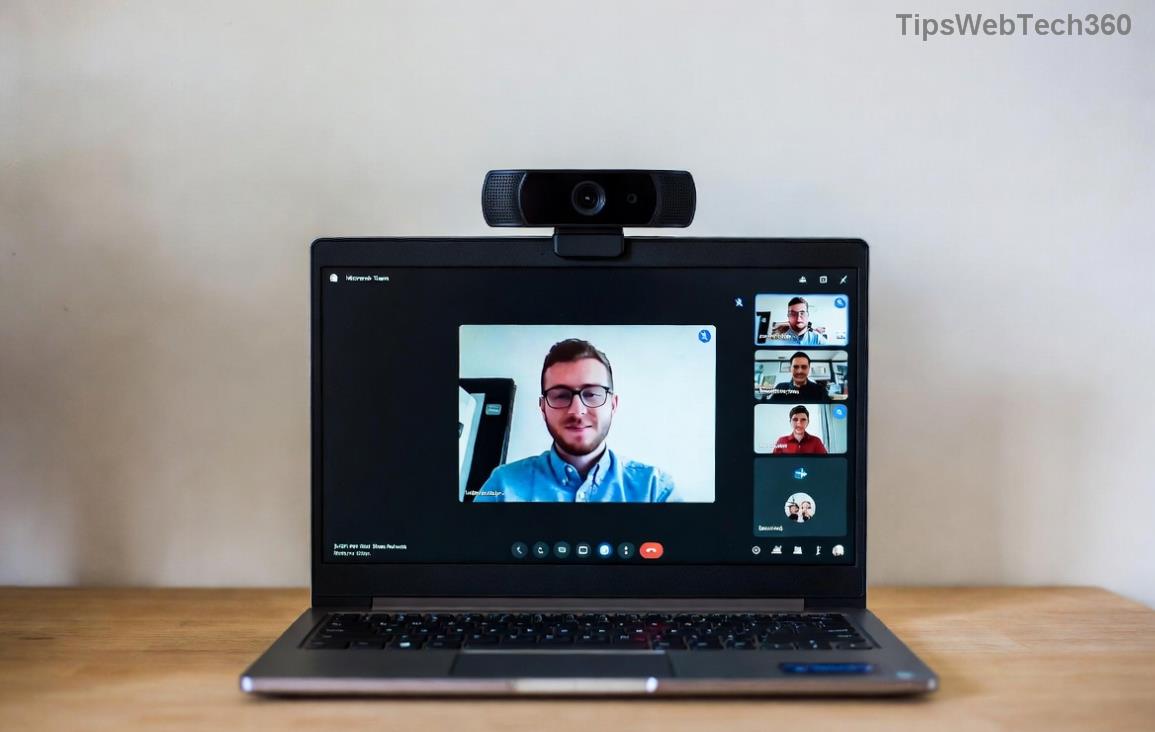
Teams Video Freezing? 10 Proven Fixes to Restore Smooth Calls Instantly!

Nothing disrupts a crucial work call like Microsoft Teams video call freezing. That frozen face staring back? We've all been there. Don't worryโ€”troubleshooting Microsoft Teams video call freezing is simpler than you think. This guide delivers quick fixes and step-by-step solutions using the latest Teams updates. Follow along, and you'll be back to crystal-clear video in minutes. Let's dive in! ๐Ÿš€

Why Does Microsoft Teams Video Call Freezing Happen? ๐Ÿ”

Understanding the root causes helps you target fixes effectively. Common culprits include:

  • Network instability: Jittery Wi-Fi or low bandwidth chokes video streams.
  • Hardware strain: Overloaded CPU/GPU from background apps.
  • Outdated software: Old drivers or Teams versions missing optimizations.
  • App glitches: Corrupted cache or hardware acceleration bugs.
  • Permissions issues: Blocked camera/microphone access.

Stick with usโ€”these insights lead straight to solutions that work. Ready for action? โญ

Microsoft Teams video call freezing screenshot showing frozen participant

Quick Wins: 5 Fast Fixes for Teams Video Freezing ๐Ÿ‘

Start here for 80% of cases. Test video after each step.

  1. 1๏ธโƒฃ Restart Teams and Your Device
    Close Teams completely (use Task Manager on Windows: Ctrl+Shift+Esc). Restart your computer. This clears temporary glitches instantly.
  2. 2๏ธโƒฃ Check Internet Speed
    Run a speed test at Speedtest.net. Aim for 1.5 Mbps upload/download per user. Switch to wired Ethernet if Wi-Fi lagsโ€”it's a game-changer!
  3. 3๏ธโƒฃ Update Teams
    In Teams, click your profile > Check for updates. Install the latest version for performance boosts. Pro tip: Use the new Teams app for better stability.
  4. 4๏ธโƒฃ Disable Hardware Acceleration
    Go to Settings > General > Turn off "Enable GPU hardware acceleration." Restart Teams. This fixes freezes on older GPUs without losing much quality.
  5. 5๏ธโƒฃ Clear Teams Cache
    Windows: %appdata%\Microsoft\Teams. Delete contents of folders like Cache, GPUCache. macOS: ~/Library/Application Support/Microsoft/Teams. Relaunchโ€”feels like new!

These steps resolve most Teams video freezing issues. If not, let's level up. Keep reading for pro tips! ๐Ÿ’ช

Advanced Troubleshooting Microsoft Teams Video Call Freezing Guide ๐Ÿ› ๏ธ

For stubborn freezes, tackle deeper issues. Use this checklist table for easy reference:

Issue Symptom Fix
Outdated Drivers Choppy video on startup Update graphics drivers via Device Manager (NVIDIA/AMD/Intel sites). Restart.
High CPU Usage Freezes during screen share Close resource hogs (Task Manager). Limit video to 720p in Settings > Devices.
Permissions Blocked Black screen or no video Teams Settings > Devices > Allow camera. Check OS privacy settings.
Firewall/Antivirus Intermittent drops Add Teams exception. Temporarily disable to test (Microsoft Guide).
Overheating Freezes after 10+ mins Clean vents, use cooling pad. Monitor temps with HWMonitor.
Step-by-step Teams settings for fixing video freezing issues

Bonus: In meetings, turn off video for audio-only if bandwidth is tight. Or try Teams web version in your browser as a workaroundโ€”often smoother!

Pro Tips to Prevent Microsoft Teams Video Call Freezing Forever ๐ŸŒŸ

  • Schedule calls during off-peak hours for better network performance.
  • Use external webcam with USB 3.0 for reliable feeds.
  • Enable Low bandwidth mode in Teams settings for mobile users.
  • Regularly update Windows/macOSโ€”synced OS fixes many Teams bugs.
  • Test setup before big meetings: Teams > Settings > Make a test call.

For enterprise users, check admin policies via the Teams Admin Center.

Still Freezing? Next Steps ๐Ÿ˜Š

If issues persist, gather diagnostics: Teams > Help > Give feedback > Include logs. Share with IT or Microsoft Support. Most users fix Teams video freezing with these stepsโ€”yours is next!

Now, smooth sailing ahead. Share your success in the commentsโ€”what fixed it for you? Happy calling! ๐Ÿ‘

Leave a Comment

๐Ÿš€ Fix Microsoft Teams Error Q QSP Instantly: Proven 2026 Steps That Work!

๐Ÿš€ Fix Microsoft Teams Error Q QSP Instantly: Proven 2026 Steps That Work!

Stuck with Microsoft Teams "Error Q" QSP? Discover simple, step-by-step fixes to resolve this frustrating issue quickly. Clear cache, update, and more for seamless teamwork. Works on Windows, Mac & web. Get back online now!

๐Ÿš€ Ultimate Fix: How to Fix Microsoft Teams Error W Web in Under 5 Minutes!

๐Ÿš€ Ultimate Fix: How to Fix Microsoft Teams Error W Web in Under 5 Minutes!

Tired of Microsoft Teams "Error W" crashing your web sessions? Follow our proven, step-by-step guide to fix it fastโ€”clear cache, troubleshoot browsers, and restore seamless collaboration. Latest solutions inside!

๐Ÿš€ Fix Microsoft Teams Proxy Error FAST: Ultimate Troubleshooting & Settings Guide

๐Ÿš€ Fix Microsoft Teams Proxy Error FAST: Ultimate Troubleshooting & Settings Guide

Stuck with Microsoft Teams Proxy Error? Follow this step-by-step troubleshooting guide to fix proxy settings, clear errors, and get Teams running smoothly in minutes. Proven fixes for latest versions.

๐Ÿš€ Fix Microsoft Teams OneDrive Error File Sync Instantly: Proven 2026 Solutions

๐Ÿš€ Fix Microsoft Teams OneDrive Error File Sync Instantly: Proven 2026 Solutions

Struggling with Microsoft Teams OneDrive Error during file sync? Discover step-by-step fixes for seamless collaboration. Solve OneDrive sync issues in Teams today with our ultimate guide.

๐Ÿšจ Microsoft Teams Welcome Error Startup Loop FIXED: 7 Proven Steps to Escape the Endless Cycle!

๐Ÿšจ Microsoft Teams Welcome Error Startup Loop FIXED: 7 Proven Steps to Escape the Endless Cycle!

Struggling with the frustrating Microsoft Teams "Welcome Error" startup loop? Discover step-by-step fixes that work in the latest updates. Clear cache, reset, reinstall & more โ€“ get back to seamless collaboration fast!

๐Ÿš€ Fix Microsoft Teams Error V in Latest Version: Proven Solutions That Work Instantly!

๐Ÿš€ Fix Microsoft Teams Error V in Latest Version: Proven Solutions That Work Instantly!

Tired of Microsoft Teams crashing with "Error V"? This ultimate guide reveals step-by-step fixes for Solving Microsoft Teams "Error V" Version issues in the latest updates. Quick, easy, and effective โ€“ get back to seamless collaboration!

๐Ÿš€ Instant Fix: Banish Microsoft Teams Games Plugin Error Forever!

๐Ÿš€ Instant Fix: Banish Microsoft Teams Games Plugin Error Forever!

Tired of the frustrating Microsoft Teams "Games" Plugin Error blocking your fun? Follow our proven, step-by-step guide to fix it quicklyโ€”no tech expertise needed. Get back to gaming in Teams today!

๐Ÿš€ Ultimate Guide: How to Remove & Switch Microsoft Teams Accounts on Windows 11 in Minutes

๐Ÿš€ Ultimate Guide: How to Remove & Switch Microsoft Teams Accounts on Windows 11 in Minutes

Master how to remove and change a Microsoft Teams account on Windows 11 with this foolproof, step-by-step guide. Fix account issues fast, switch seamlessly, and boost your productivity today!

๐Ÿšจ Microsoft Teams Down 2026? 7 Proven Fixes to Restore Service Instantly!

๐Ÿšจ Microsoft Teams Down 2026? 7 Proven Fixes to Restore Service Instantly!

Is Microsoft Teams showing "Down" server status in 2026? Discover step-by-step fixes for Microsoft Teams outages, from quick restarts to advanced troubleshooting. Get back online fast with our ultimate guide!

๐Ÿš€ Fix Microsoft Teams Shortcut Error Not Opening: Proven Solutions for Instant Access!

๐Ÿš€ Fix Microsoft Teams Shortcut Error Not Opening: Proven Solutions for Instant Access!

Struggling with Microsoft Teams "Shortcut Error" not opening? Discover step-by-step fixes to solve Microsoft Teams shortcut error, clear cache, reset app, and get back to seamless collaboration in minutes. Updated with the latest methods.